Key takeaways
- A real estate CRM for developers has to do more than store leads. It must tie every lead to live inventory, pricing, site visits and bookings.
- Most CRMs are built around the lead list. The buyer still gets PDFs on WhatsApp, and sales cannot see which units the buyer looked at.
- RERA Section 11 already asks promoters to report booked units every quarter and show approved plans at booking, so your sales system and inventory should never disagree.
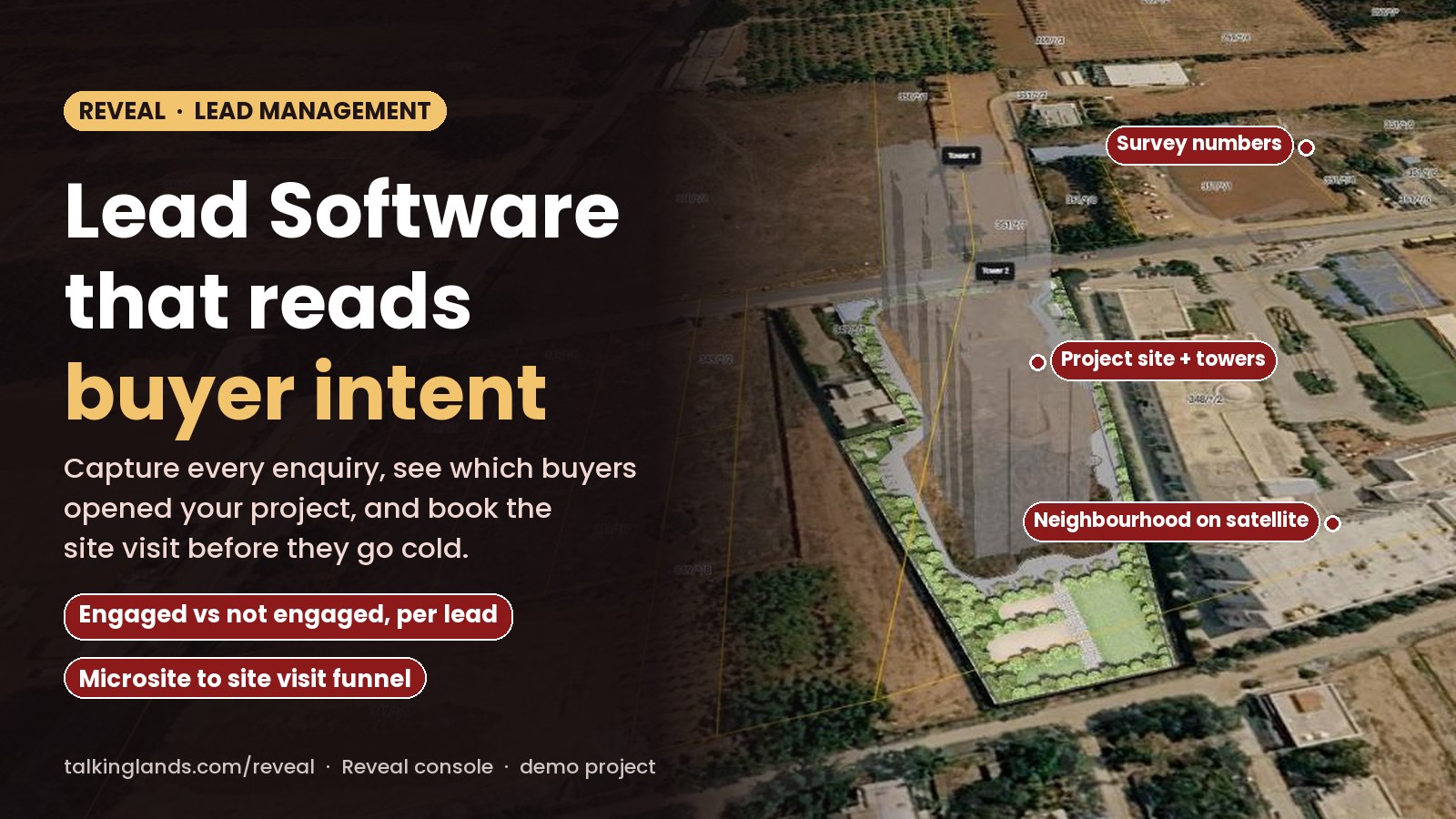
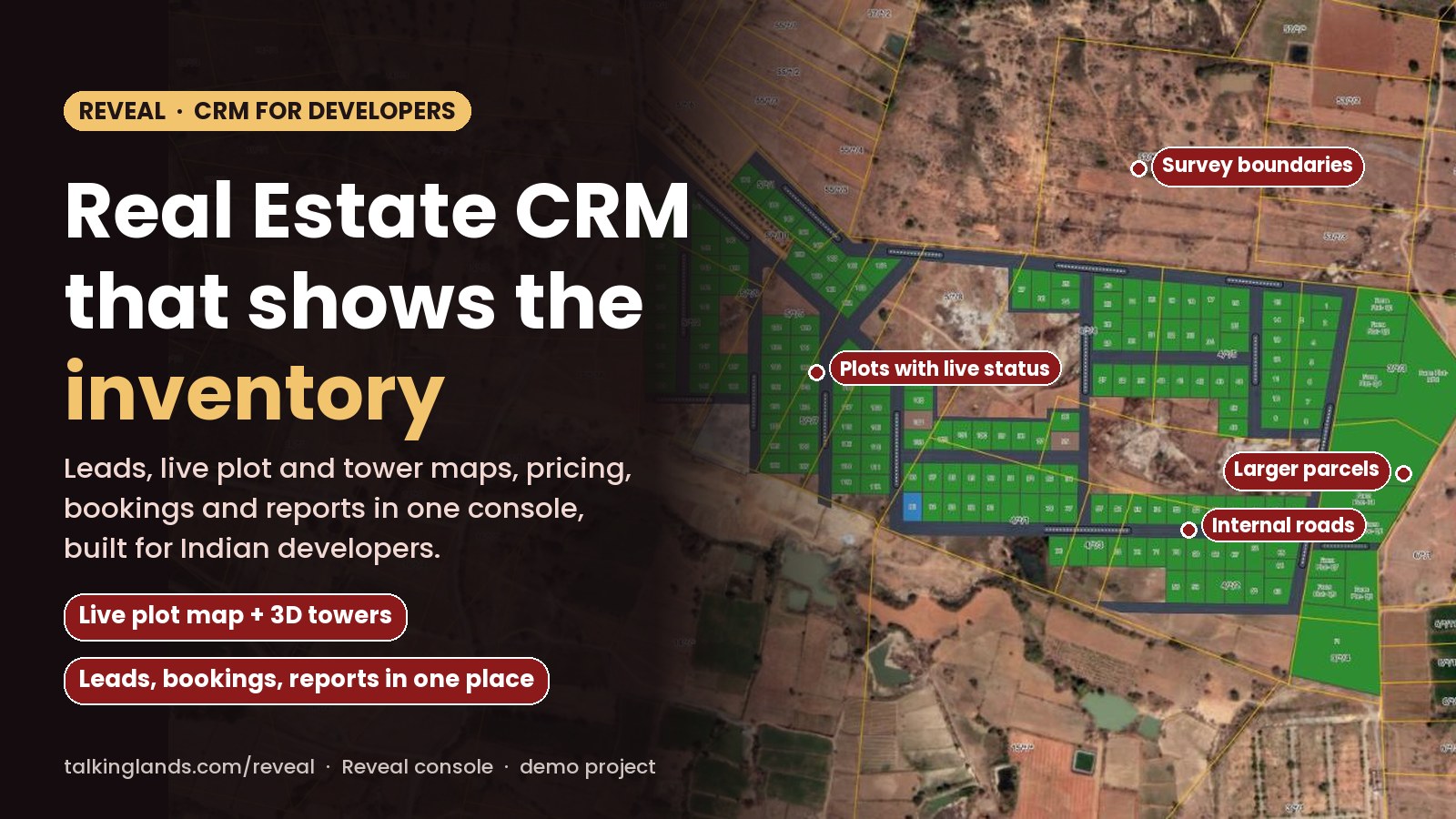
- Reveal by TalkingLands puts the project itself online: plot maps on satellite imagery, 3D towers with floor-by-floor units, and one link per buyer that feeds the console.
- In the Reveal console a project moves from a site boundary file to units, pricing rules, microsites, leads, bookings and revenue reports.
- Use the 60-second checklist below to find the gaps in your current sales stack before you shortlist vendors.
How ready is your sales stack for 2026 buyers?
Tick everything your current CRM and sales process already does. The meter updates as you go.
Every developer in India has a version of the same story. A lead comes in from a property portal on a Sunday. Someone forwards the brochure, the price sheet, a location map and three floor plans on WhatsApp. The buyer goes quiet. On Tuesday the sales executive calls, offers a unit that was booked on Monday, and loses the buyer.
Real estate CRM software is supposed to stop this. Most of it only fixes the first half: it records the lead and reminds someone to call. This guide covers what a CRM for developers actually needs to do, where most tools stop, what RERA expects from your sales records, and how Reveal by TalkingLands connects leads to the live project.
What real estate CRM software is
A CRM (customer relationship management system) is the place where a sales team keeps every enquiry, every conversation and every next step. In real estate the word covers two quite different jobs:
- Broker and agent CRMs manage many listings from many owners. The hard part is matching buyers to listings and tracking commissions.
- Developer CRMs manage a few projects in depth: hundreds or thousands of plots or apartments, each with its own status, price, buyer, payment schedule and documents.
If you are a developer, the second kind is the one you need. The lead list is only the front door. The real work is keeping inventory, pricing and bookings honest while ten executives and a few channel partners sell the same project at the same time.
The 9 modules a developer CRM needs
Here is the checklist we use when developers ask us what to look for. The last column shows how each one appears in the Reveal console, from our own walkthrough of a demo account.
| Module | What it does | Why a developer needs it | In Reveal |
|---|---|---|---|
| 1. Lead capture | Collects enquiries from every channel into one list | No lead is lost between the portal, the ad and the site office | Leads captured through each project or microsite link, with the buyer’s interaction history |
| 2. Assignment and follow-up | Routes each lead to an executive and tracks the next action | The first call happens while the buyer is still interested | Leads assigned to agents, plus a Daily Priority view of recent lead activity |
| 3. Live inventory | Tracks the status of every plot or unit | Nobody offers a unit that was booked yesterday | Available, Reserved, Booked, Sale agreement and Sold, per unit |
| 4. Pricing rules | Calculates the price from a base rate and add-ons | Every executive quotes the same number | Base rules and add-on rules per project, plus unit facing, phase and area |
| 5. Buyer-facing project view | Lets buyers see what is available before they call | Buyers shortlist on their phones now | Plot maps on satellite imagery and 3D towers with a floor selector |
| 6. Site visits | Books visits and records whether they happened | Visit-to-booking is the number that matters | Funnel from microsite generated to engaged lead, visit scheduled and visit completed |
| 7. Bookings and payments | Records bookings, agreements and cancellations | Revenue and inventory stay in sync | Recent transactions by unit and status; bank accounts can be assigned to units |
| 8. Reports | Shows revenue, inventory and sales by project | Management sees the whole portfolio on one screen | Revenue, Inventory and Master reports, filterable and exportable |
| 9. Documents and compliance | Keeps approved plans and RERA documents with the project | Buyers and regulators ask for them | The Reveal page lists documents with RERA details as part of each project |
Modules 1, 2 and 8 are what most CRMs sell. Modules 3 to 7 are where developers usually end up with a spreadsheet on the side. If you are still choosing between tools, our guide to real estate sales software covers the wider category.
Where most CRMs stop: the buyer side
A typical real estate CRM module list is long. One established Indian vendor lists marketing automation, sales and pre-sales, inventory and negotiations, channel partners, post-sales and collections, a customer portal, a communication hub, AI tools, reporting and integrations. All of that is useful, and all of it is built around what your team sees.
The gap is what the buyer sees. In most setups, the moment a lead is captured, the buyer is sent the same static material as always: a brochure PDF, a price sheet, a master plan image. Three things go wrong:
- The material is out of date the day a unit is booked or a price changes.
- The buyer cannot explore which plots face east, which floors are left, or what is nearby, without calling.
- Sales learns nothing. A PDF does not tell you that the buyer spent ten minutes on corner plots and never opened the 2 BHK floor plan.
This is the part Reveal was built for. Instead of sending files, the executive sends one link to a live version of the project. For a plotted development it is the layout drawn on satellite imagery, with every plot coloured by status. For apartments it is 3D towers on the real site, where the buyer picks a tower and a floor and sees which units are open. We explain the idea in more depth in what a digital twin of a property is and how a property microsite works.
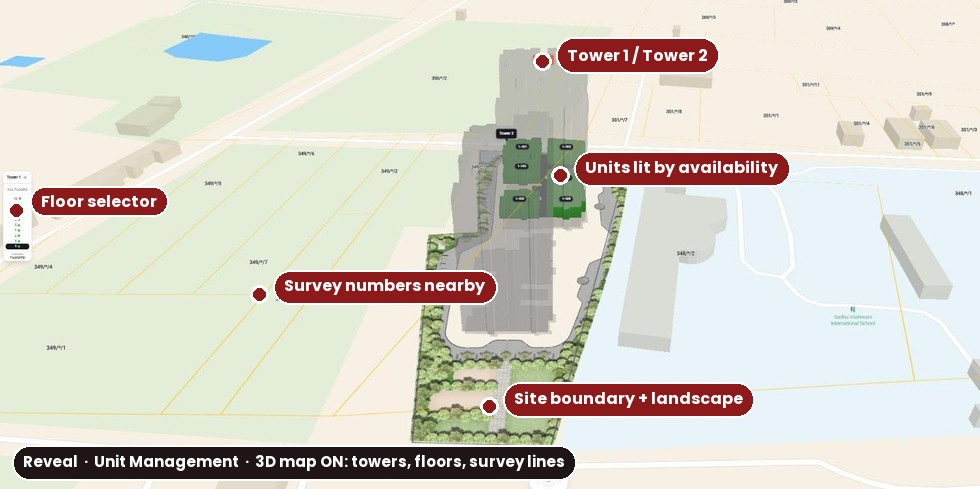
Reveal’s Unit Management map for an apartment project in a demo account: pick a tower, pick a floor, and units light up by availability. Survey lines around the site come from TalkingLands land data.
Because every link is tied to a lead, the buyer’s exploring is not lost. It shows up in the console as an engaged lead, with the history of what they opened, before your executive picks up the phone. TalkingLands’ own figures on the Reveal page claim about 50 per cent more sales from existing leads and twice as many leads handled per executive. Those are vendor numbers, not an independent study, so treat them as the upside to test in a pilot.
RERA and your sales system
The Real Estate (Regulation and Development) Act, 2016 does not tell you which CRM to buy. But Section 11 sets out duties that depend on clean sales records:
- Section 11(1) asks the promoter to keep a project webpage on the RERA authority’s website and update it every quarter, including the number and types of apartments or plots booked.
- Section 11(2) says every advertisement or prospectus must prominently mention the authority’s website address and the project’s registration number.
- Section 11(3)(a) asks the promoter to make sanctioned plans, layout plans and specifications available at the time of booking.
State rules add their own formats and deadlines for the quarterly update, and authorities have penalised promoters for missing them. The practical point for a sales head: if your booked count lives in three places (the CRM, an Excel sheet and the site office register), your quarterly numbers depend on whoever reconciles them. One system where a booking changes the unit status, the report and the buyer-facing view at the same time removes that risk. Every link you share should also carry the RERA registration number, just like a print ad.
How a lead moves through Reveal
This is the flow we saw in the Reveal console, from a new project to a booking. Scroll through the steps.
Projects move through four stages (Draft, Pre-launch, Ongoing and Completed), so a launch and a sold-out phase sit in the same console. Plotted, apartment and villa projects all use the same flow. If your team also buys land for future projects, the same land data sits behind TalkingLands Realm for land bank management.
8 questions to ask any CRM vendor
Ask these in every demo, including ours. Watch the vendor do each one live, not on a slide.
- Can a buyer see live availability without calling us? Ask to see the buyer’s view, on a phone.
- Does the CRM know which units a buyer opened? If the answer is “we track email opens”, that is not the same thing.
- Is pricing rule-based? Change the corner premium and see if every quote updates.
- If we change a price, does every link already sent update? Or does the buyer still hold last week’s PDF?
- How long to go live on one project? Get it in writing, with what you need to supply.
- Can plotted and apartment projects run in one console? Many developers do both.
- Can each agent or channel partner get their own links? And can you see who generated which lead?
- Which integrations exist today? Portals, telephony, WhatsApp and your accounting system. Ask for a customer already using each one.
How to see your project on Reveal
- Book a demo on the Reveal demo page and pick Reveal as the product.
- Share your layout and inventory: the site boundary, the plot or unit list, and your price sheet.
- Review the live version of your project: plot map or 3D towers, with your own units and prices.
- Generate a microsite link for a few real leads and send it instead of the PDF bundle.
- Watch the console: engaged leads, site visits, bookings and the revenue and inventory reports.
What Reveal shows: your units and their status, the prices from your rules, the map and 3D view of the site, leads with their interaction history, site visits, bookings and portfolio reports.
What it does not do: it does not certify land title or approvals (check those with your lawyer and the authority), and it is not an accounting or construction ERP.
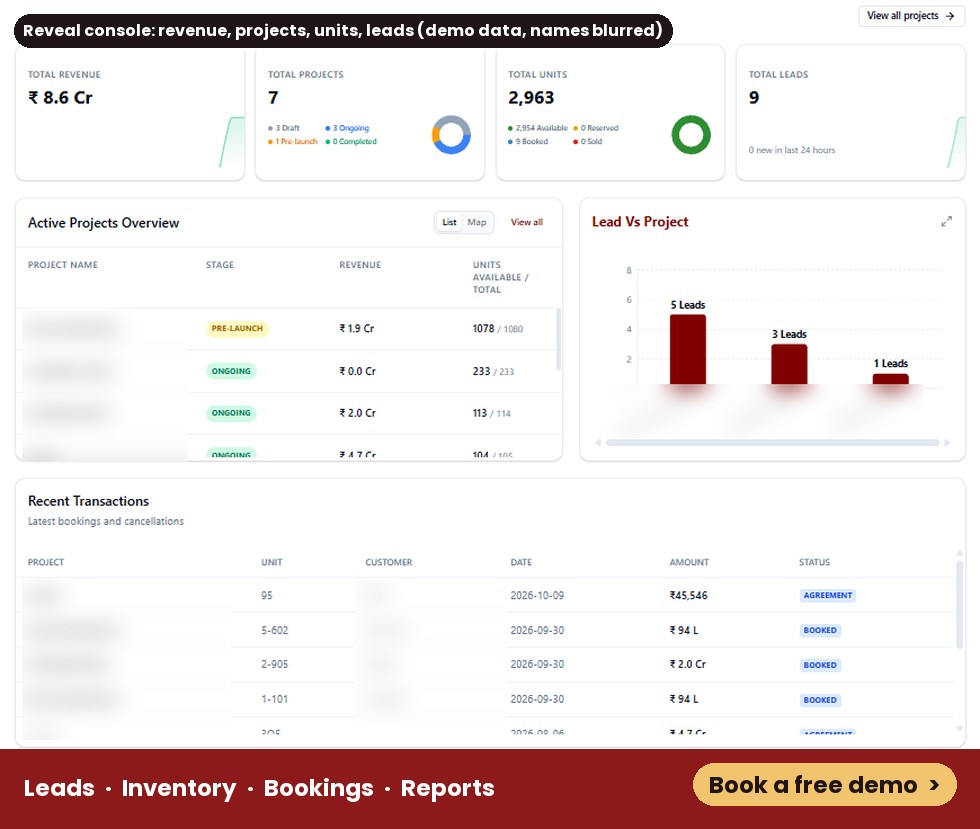
The Reveal console home in a demo account: revenue, projects by stage, units by status, leads by project and recent bookings. Names are blurred.
Common mistakes
See your own project live on Reveal
Plot maps, 3D towers, leads, bookings and reports in one console. Share your layout and see it running.
Book a free demoFrequently asked questions
It is software that collects every enquiry for a real estate project in one place, assigns it to a sales executive, and tracks follow-ups, site visits and bookings. A CRM built for developers also connects each lead to live inventory and pricing, so the sales team and the site office always see the same unit status.
A broker CRM manages many listings and many owners. A developer CRM manages one or more projects in depth: every plot or apartment, its status, its price rules, the bookings and the revenue against it. Developers also need RERA documents and approved plans attached to the project they are selling.
It can store leads and calls, but you usually have to build inventory, unit pricing, booking status and project reports yourself. Most developers who start this way end up keeping inventory in a spreadsheet next to the CRM, which is where double bookings and wrong quotes come from.
Reveal puts a developer's project online as a live map: plots on satellite imagery or 3D towers with floor-by-floor units. Sales shares one link per buyer, and every lead, microsite visit, site visit, booking and report comes back to one console. It handles plotted, apartment and villa projects.
TalkingLands says on its Reveal page that a project can go live in one day: you share the layout and inventory, and the team builds the digital version the same day. Larger projects with many towers or phases may take longer, so confirm the timeline in your demo.
A CRM does not file anything with RERA for you. But RERA Section 11 asks promoters to keep booked-unit data, approved plans and the registration number in order. When your CRM and inventory agree, your quarterly updates, advertisements and buyer disclosures are much easier to get right.
This article explains how real estate CRM software works and how TalkingLands Reveal approaches it. Product details come from our walkthrough of a Reveal demo account on 5 November 2026 and the TalkingLands Reveal page; features can change, so confirm them in a demo. Sales figures quoted from TalkingLands are vendor claims. The RERA summary is general information, not legal advice.