Key takeaways
- Lead management software decides which enquiry gets called first, by whom, and what happens next. For a developer it is the front half of the sales system.
- The strongest priority signal is behaviour: did the buyer open the project, which units did they look at, and did they come back?
- Every stage leaks in its own way: slow first response, no prioritisation, stale follow-up material and unbooked site visits. Measure each stage on its own.
- The DPDP Rules 2025 give businesses until around May 2027 to meet notice and consent duties, and TRAI requires promotional calls to come from the 140 number series.
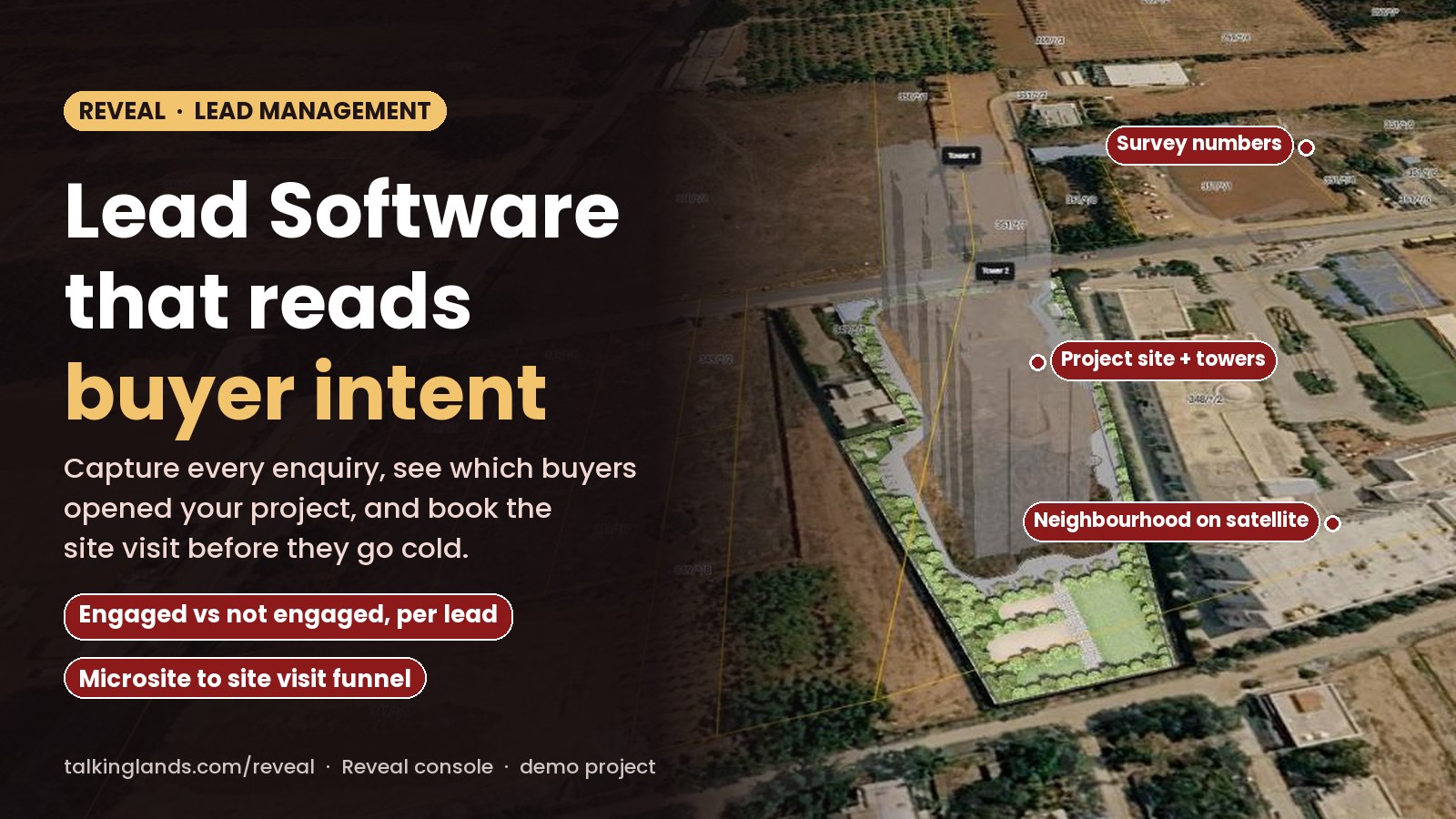
- In Reveal, each lead arrives through a project or microsite link, is marked engaged or not engaged, is assigned to an agent, and moves to a site visit and booking in the same console.
- Use the calculator below with your own numbers to see which stage of your funnel costs you the most bookings.
Where is your funnel losing bookings?
Enter your own monthly numbers. Nothing you type is sent anywhere.
A developer launching a project can get hundreds of enquiries in the first month, from property portals, Meta and Google ads, the website, channel partners and the site office. Most of them will never buy. A few will buy within weeks. The job of lead management software is to tell the two apart early, and to make sure the serious buyers are never left waiting.
This guide covers what lead management software should do for a developer, where leads leak at each stage, how to prioritise using real buyer behaviour, what the new data protection and calling rules mean for your sales team, and how Reveal by TalkingLands handles leads inside the same console as your inventory.
What lead management software does
Whatever the vendor calls it, lead management software has six jobs:
- Capture every enquiry in one list, with its source, so nothing sits in a portal inbox or a personal phone.
- Remove duplicates, because the same buyer often enquires on two portals and your website.
- Assign each lead to a named executive, so someone owns the first call.
- Prioritise, so the most interested buyers are called first.
- Follow up with the right next step: a project link, a call, a site visit invitation.
- Measure each stage, by source and by executive, so you know where the money goes.
Lead management is the front half of a developer’s sales system. The back half is inventory, pricing and bookings, which we cover in our guide to real estate CRM software. The two only work well when a lead and the unit they want are in the same place.
The 6 stages of a developer’s lead funnel
Every stage has its own leak and its own number to watch. The last column shows how each stage appears in the Reveal console, from our walkthrough of a demo account.
| Stage | What should happen | Where leads leak | What to measure | In Reveal |
|---|---|---|---|---|
| 1. Capture | Every enquiry lands in one list with its source | Leads stuck in a portal inbox or on one executive’s phone | Leads by source | Leads captured through project and microsite links, with date and time received |
| 2. First response | A named executive responds the same day | No owner, so nobody calls | Time to first response | Leads assigned to agents; a New leads count for first availability checks in the last 24 hours |
| 3. Prioritise | The most interested buyers are called first | Calling in the order leads arrived | Share of leads engaged | Engaged or Not engaged status per lead, and a Daily Priority list |
| 4. Nurture | The buyer explores the project with live inventory | PDFs that are out of date in a week | Return visits, last active | One microsite per buyer, interaction history and last active time |
| 5. Site visit | A visit is booked and actually happens | No reminder, so the buyer does not show up | Visits scheduled vs completed | Microsite to site visit funnel, and upcoming site visits for the next 7 days |
| 6. Booking | The unit is blocked and the agreement signed | A unit quoted wrong or offered twice | Visit-to-booking rate | The unit moves to Booked or Sale agreement and the revenue report updates |
Stages 3 and 4 are where most developer funnels quietly lose the most buyers, because they are the hardest to see. A lead that was called and did not pick up looks the same in most tools as a lead who has already shortlisted three of your plots.
Prioritise by behaviour, not by form fields
Most lead forms ask for budget, configuration and timeline. Those answers are useful for the conversation, but they are what the buyer says. Behaviour is what the buyer does, and it is a much better guide to who to call first:
- Did they open the project? A lead who never opened your link is not yet a buyer, however good the form looks.
- What did they look at? Specific plots, a tower and floor, the price breakup, the location. That is your opening line on the call.
- Did they come back? A buyer active yesterday is warmer than one who looked once last week.
This only works if the buyer explores something you can track. That is why Reveal sends each buyer a live version of the project instead of a PDF bundle: a plot map on satellite imagery or 3D towers where they can pick a floor. We explain how that works in our guide to property microsites.
In the Reveal console, each lead carries a status of Engaged or Not engaged and a last active time, and a Daily Priority view lists lead activity from the last 24 hours, for all agents or just your own. The Reveal page also describes AI that ranks each buyer as high, medium or low likelihood to convert, with their main concern and a suggested next step. In the demo account we reviewed, prioritisation showed as engagement status and the Daily Priority list, so ask to see the ranking on your own leads in a demo.
A simple calling order that works with any tool: engaged and active in the last day first, then engaged but quiet, then new leads who have not opened anything yet. For the last group, the next step is a better link or message, not a fifth call.
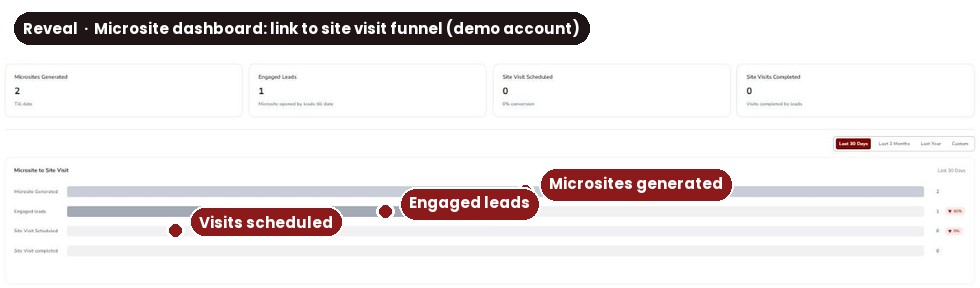
The Reveal microsite dashboard in a demo account: links generated, leads who engaged, site visits scheduled and completed, as one funnel.
Consent, data protection and calling rules
Lead lists are personal data: names, phone numbers, budgets and sometimes family details. Two sets of rules matter for a developer’s sales team.
The Digital Personal Data Protection (DPDP) Rules, 2025. The Rules under the DPDP Act, 2023 were notified on 14 November 2025 with a phased rollout. Most duties for businesses, including the notice rule, apply 18 months after publication, which falls in May 2027. The notice to a person must describe the personal data and the purpose, give contact details, and explain how to withdraw consent and raise a grievance. Data should be erased once its purpose is served, unless a law requires you to keep it.
TRAI’s telemarketing rules. TRAI has tightened the rules on unsolicited commercial communication. Promotional calls from businesses in every sector must come from the 140 number series, from senders registered with telecom operators, and customers can block categories of promotional calls through their DND preferences. Service and transactional calls use the 1600 series, which TRAI has reserved for regulated financial entities and government communication.
What this means in practice:
- Put a clear notice and consent line on every enquiry form and landing page, saying how you will contact the buyer.
- Record the source of every lead, so you can show where consent came from.
- Do not buy or rent lead lists you cannot trace back to a consent.
- Make it easy for a buyer to stop hearing from you, and act on it.
- Ask every software vendor, including us, how consent and data deletion are handled in their product.
How Reveal manages leads
This is the flow we saw in the Reveal console. Scroll through the steps.
The Agents view shows, for each agent, how many microsite links they generated and how many site visits were booked from them, which makes it easy to compare channel partners and in-house executives on the same terms. For the bigger picture of selling a project from one link, see our guide to real estate sales software.
What to measure every week
- Leads by source, and cost per lead for paid sources.
- Time to first response, by source and by executive.
- Engaged rate: out of every 100 leads, how many opened your project.
- Visit rate: engaged leads who book a site visit, and how many of those actually come.
- Visit-to-booking rate, by project and by executive.
- Lead age: how many leads have had no action for more than a week.
- Cost per booking by source, the number that should decide your ad budget.
Put your own numbers into the calculator at the top of this page. In most funnels, a small gain at the engaged stage is worth more than the same gain at the end, because it multiplies through every stage after it.
How to set it up on Reveal
- Book a demo on the Reveal demo page and choose Reveal as the product.
- Share your project layout and inventory so the team can put the project live on the map.
- Add your agents, in-house and channel partners, so every link they share is tracked to them.
- Send microsite links instead of PDFs to new leads from every source.
- Call from Daily Priority each morning, and review the microsite funnel each week.
What Reveal shows: every lead captured through your links, engaged or not, agent, last active time, interaction history, site visits, bookings and reports.
What it does not do: it does not give legal advice on consent, and it does not certify land title or approvals for the project.
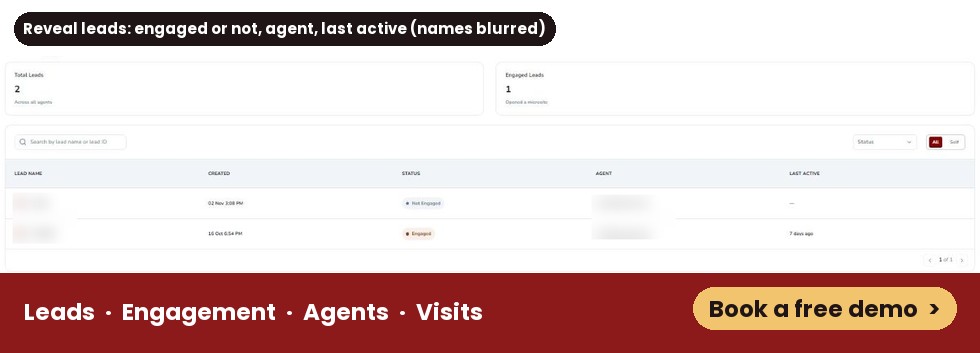
Reveal’s microsite Leads view in a demo account: each lead with its status, agent and last active time. Names are blurred.
Common mistakes
See which of your leads are really interested
Reveal tracks every lead from the project link to the site visit and booking, in the same console as your inventory.
Book a free demoFrequently asked questions
It is software that collects every enquiry for a project, from portals, ads, the website and walk-ins, into one list. It assigns each lead to an executive, helps decide who to call first, and tracks the lead through follow-ups, site visits and booking, so no enquiry is lost and every stage can be measured.
Lead management is the front of the funnel: capture, assignment, prioritisation and follow-up. A full real estate CRM for developers also covers inventory, pricing, bookings and reports. Many tools, including Reveal, do both in one console, so the lead and the unit they want sit side by side.
Use behaviour before form fields. A buyer who opened your project link, looked at specific units and came back yesterday is a better call than one who filled a form a week ago and never opened anything. Then use budget, configuration and timeline to plan the conversation.
There is no single rule, but the same day is a sensible minimum for a new enquiry. Measure your own time to first response by source and by executive, and compare it with your visit and booking rates to see what speed is worth for your projects.
Calling someone who enquired about your project is normal, but how you collect and use their data is regulated. The DPDP Rules 2025 set notice and consent duties that apply from around May 2027, and TRAI rules require promotional calls to come from registered 140-series numbers and respect DND preferences. Take legal advice for your setup.
Reveal covers leads, microsites, site visits, inventory, pricing, bookings and reports for a developer's projects, so some developers use it as their main sales console. If you already run a CRM, ask in the demo how the two would work together for your team before you decide.
This article explains how real estate lead management software works and how TalkingLands Reveal approaches it. Product details come from our walkthrough of a Reveal demo account on 5 November 2026 and the TalkingLands Reveal page; features can change, so confirm them in a demo. The summary of the DPDP Rules and TRAI rules is general information, not legal advice.